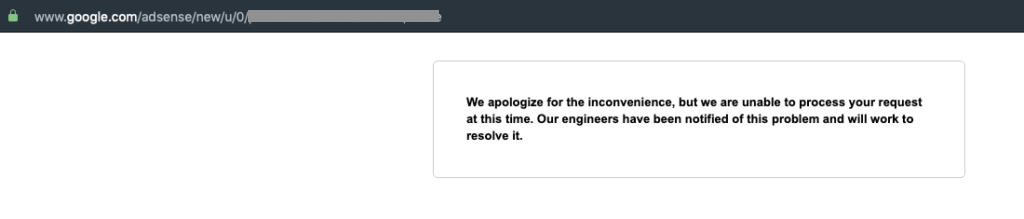
We apologise for the inconvenience, but we are unable to process
your request at this time. Our engineers have been notified of this
problem and will work to resolve it.
Adsense is giving error in Accounts >>Access and Authorization :
We apologize for the inconvenience, but we are unable to process your request at this time. Our engineers have been notified of this problem and will work to resolve it.
Adsense, like any other product of technology in this day and age can give you headaches at times. Common Adsense issues include balance not updated, website approval takes too long, a website is approved but then got rejected again, no ads is appearing on the website and many more.
Adding to this long list of Adsense errors and issues is the error we have mentioned above when trying to access the Adsense dashboard. However, this error only occurs on the homepage. Users have no issue accessing the other part of the dashboard.
What Causes this Adsense Error?
As it turned out, this error is not really an actual error with the Adsense dashboard platform. This is apparently being caused by the adblocker plugin you have installed in your browser. Not, only browser extensions, but built-in adblockers can also cause this error like the ones in Brave or Opera browsers.
How to Fix Adsense Error Blocked by Adblocker?
As you can already guess, the solution is pretty much straightforward. You just have to disable the adblocker on the Adsense URL. You don’t need to completely disable the adblocker in your browser, just do it for the specific Google URL.
After doing this, you can now access the Adsense dashboard homepage without a problem.

The answer appears to be solely related to application size. I created a simple "hello world" app with nothing special in the manifest file, uploaded it to the Play store, and it was reported as compatible with my device.
I changed nothing in this app except for adding more content into the
res/drawabledirectory. When the.apksize reached about 32 MB, the Play store started reporting that my app was incompatible with my phone.I will attempt to contact Google developer support and ask for clarification on the reason for this limit.
UPDATE: Here is Google developer support response to this:
I ended up solving my problem by converting all the PNG files to JPG, with a small loss of quality. The
.apkfile is now 28 MB, which is below whatever threshold Google Play is enforcing for my phone.I also removed all the
<uses-feature>stuff, and now have just this:I ran into this as well - I did all of my development on a Lenovo IdeaTab A2107A-F and could run development builds on it, and even release signed APKs (installed with
adb install) with no issues. Once it was published in Alpha test mode and available on Google Play I received the "incompatible with your device" error message.It turns out I had placed in my
AndroidManifest.xmlthe following from a tutorial:Well, the Lenovo IdeaTab A2107A-F doesn't have an autofocusing camera on it (which I learned from http://www.phonearena.com/phones/Lenovo-IdeaTab-A2107_id7611, under Cons: lacks autofocus camera). Regardless of whether I was using that feature, Google Play said no. Once that was removed I rebuilt my APK, uploaded it to Google Play, and sure enough my IdeaTab was now in the compatible devices list.
So, double-check every
<uses-feature>and if you've been doing some copy-paste from the web check again. Odds are you requested some feature you aren't even using.